

Table of Contents
- Introduction
- What Is a YouTube Hashtag Generator?
- How a YouTube Hashtag Generator Works
- Benefits of Using a YouTube Hashtag Generator
- SEO Importance of YouTube Hashtags
- Best Practices for Using Hashtags on YouTube
- Comparison Table: Manual Hashtags vs. Hashtag Generator
- GEO-Targeted Hashtag Strategy
- AEO (Answer Engine Optimization) Guide
- Common Mistakes Creators Make
- YouTube Hashtag Tools (Trusted List)
- Conclusion
- FAQs
Introduction
In today’s digital world, YouTube is more competitive than ever. With more than 2.7 billion active monthly users, creators must optimize every element of their videos to stay visible. One powerful but often underrated tool is YouTube hashtags.
Hashtags help YouTube understand what your video is about, improve discoverability, categorize your content, and boost your ranking in YouTube Search and Suggested Videos.
However, choosing the right hashtags manually can be time-consuming and inefficient. This is where a YouTube Hashtag Generator becomes a game-changing solution.
This guide explains:
✔ How a YouTube hashtag generator works
✔ Why using a hashtag generator improves your rankings
✔ Best SEO, AEO & GEO keyword strategies
✔ Tips, mistakes to avoid, and expert recommendations
Let’s begin.
What Is a YouTube Hashtag Generator?
A YouTube Hashtag Generator is an AI- or algorithm-based tool that generates relevant, trending, and SEO-friendly hashtags for YouTube videos.
These tools analyze:
- Search volume
- Video titles
- Descriptions
- Competitor hashtags
- Trending topics
- Engagement rate
- Keywords
- Audience geography
…to provide optimized hashtags tailored to your content.
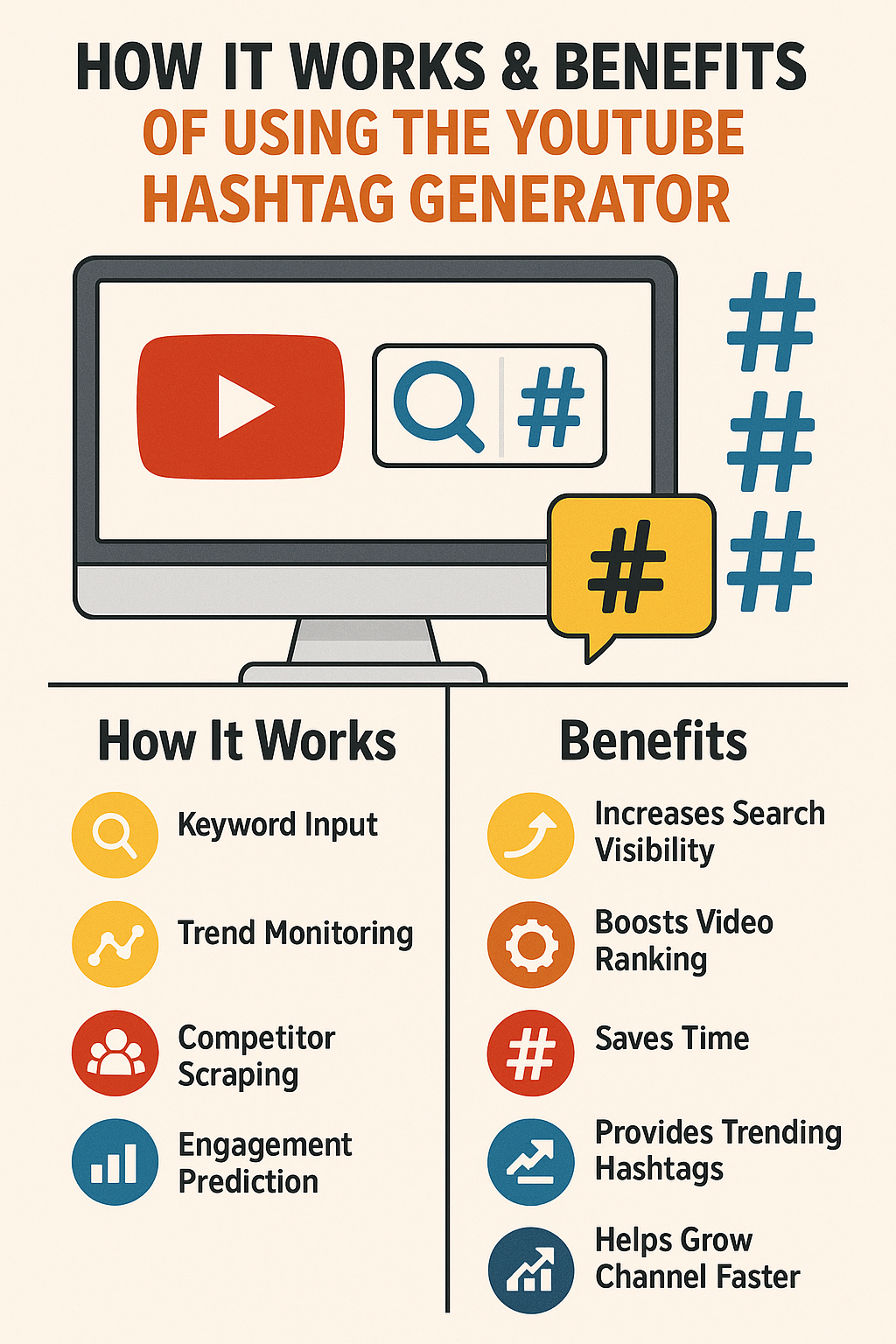
How a YouTube Hashtag Generator Works
A good generator uses advanced algorithms & data sourcing such as:
1. Keyword Input Analysis
You enter keywords like
➡ “travel vlog italy”
➡ “AI tools review”
➡ “fitness workout beginners”
The tool analyzes related search intents.
2. Trend Monitoring
The generator pulls real-time data such as:
- Trending hashtags
- Viral video keywords
- YouTube trending topics
- Social media hashtag popularity
3. Competitor Scraping
The tool scans:
- Top-ranking videos
- Competitors in your niche
- Their high-performing hashtags
4. Engagement Prediction
Using AI scoring, the tool predicts:
- Hashtag performance
- Search volume potential
- Relevance score
- CTR impact
5. Hashtag Categorization
It groups hashtags into:
- Broad hashtags (high traffic)
- Niche hashtags (targeted reach)
- Long-tail hashtags (high intent)
- GEO hashtags (location reach)
Benefits of Using a YouTube Hashtag Generator
Using a hashtag generator provides multiple advantages. Here are the top 10 benefits:
1. Increases YouTube Search Visibility
Your video appears in:
- Hashtag search pages
- Video discovery sections
- Related topic pages
- Suggested videos
This leads to more organic reach.
2. Boosts Video Ranking
Optimized hashtags improve SEO signals:
✔ Relevance
✔ Click-through rate
✔ Watch-time alignment
✔ Search accuracy
This helps you rank for long-tail and competitive keywords.
3. Saves Time
Manually researching 20–30 hashtags is slow.
A generator does it in seconds.
4. Provides Trending Hashtags
You get hashtags that are:
- Fresh
- Popular
- Time-relevant
- Audience-targeted
You never miss trending opportunities.
5. Reduces Keyword Guesswork
It removes the risk of choosing:
✘ low-traffic hashtags
✘ irrelevant hashtags
✘ overused tags
6. Helps Beat Competitors
With competitor analysis, you get hashtags used by successful videos in your niche.
7. Enhances Content Categorization
YouTube better understands:
- Your niche
- Video topic
- Sub-category
- Audience type
This increases your relevance score.
8. GEO (Location-Based) Reach Boost
If your audience is in:
🇮🇳 India
🇺🇸 USA
🇬🇧 UK
🇨🇦 Canada
🇦🇺 Australia
…you can add GEO hashtags like:
#IndiaVlogger #USATechNews #LondonTravelGuide
This helps your video appear in location-specific searches.
9. AEO (Answer Engine Optimization) Support
Hashtags help search engines understand “answer intent,” improving visibility in:
- Google YouTube carousels
- Featured snippets
- AI Overviews
- Voice search
10. Helps Grow Channel Faster
More visibility = more clicks, views, and subscribers.
SEO Importance of YouTube Hashtags
YouTube hashtags work as:
✔ SEO keywords
✔ Discovery tags
✔ Ranking boosters
✔ Category signals
Hashtags help YouTube and Google understand your content’s:
- Topic
- Intent
- Audience
- Category
- Relevance
This impacts both YouTube SEO and Google SEO.
Best Practices for Using Hashtags
1. Use 3–10 main hashtags
YouTube recommends this range.
2. Keep the hashtags relevant
Avoid misleading hashtags—could trigger YouTube quality penalties.
3. Use branded hashtags
Examples:
#YourChannelName
#RajaVlogs
4. Mix broad + niche + GEO hashtags
Comparison Table
| Feature | Manual Hashtags | Hashtag Generator |
|---|---|---|
| Time Required | High | Low |
| Accuracy | Medium | High |
| Trending Hashtags | Rare | Yes |
| Competitor Insights | None | Yes |
| SEO Optimization | Partial | Full |
| GEO Targeting | Manual | Automatic |
| AEO Optimization | No | Yes |
| Keyword Suggestions | No | Yes |
GEO-Targeted Hashtag Strategy
For India
#IndiaVlogger #HindiTutorial #DelhiFoodVlog #IndianCreator
USA
#USAReview #NewYorkTravel #USTechNews
UK
#LondonLife #UKBlogger
Canada
#CanadaTravelTips #TorontoVlog
AEO (Answer Engine Optimization) Strategy
To optimize for AI search responses:
- Use descriptive hashtags
- Include location hashtags
- Focus on long-tail hashtags
- Add niche-specific tags
Common Mistakes Creators Make
❌ Overusing hashtags
❌ Using irrelevant hashtags
❌ Using banned/spam hashtags
❌ Copying competitor tags blindly
❌ Using too many broad hashtags
Top YouTube Hashtag Generator Tools
✔ TubeBuddy
✔ VidIQ
✔ RapidTags
✔ KeywordTool.io
✔ AllAvailableTools YouTube Hashtag Generator
Conclusion
A YouTube Hashtag Generator is essential for any creator who wants to grow faster, improve ranking, and boost visibility without spending hours researching tags manually. With the right tool, you can increase your audience reach, target GEO locations, enhance SEO, and stay ahead of competitors.
FAQs
1. How many hashtags should I use on YouTube?
Use 3–10 hashtags for optimal results.
2. Do hashtags help YouTube SEO?
Yes. Hashtags improve visibility, relevance, and ranking potential.
3. Can I use hashtags in the title?
Yes—one hashtag in the title adds strong SEO value.
4. What are banned hashtags?
Hashtags related to spam, violence, adult content, or misleading topics.
5. Are AI hashtag generators safe?
Yes—trusted tools use safe keyword analysis.


